
On our production line, I see buyers worry that smart pergolas look advanced on paper but fail in real projects, causing callbacks, delays, and damage to your brand.
Evaluate a supplier's IoT integration by checking platform compatibility, protocol support, safety certifications, white-label software options, remote service capability, and update policy. The best wholesale partner proves these with test data, documented APIs, installer training, spare parts planning, and clear answers about local control, cloud dependence, and long-term support.
The details behind each checkpoint matter. In a fast-growing pergola market, smart control is becoming an expected feature, not a risky extra.
How do I ensure the smart pergola system is compatible with my clients' existing home automation platforms?
When our engineers test app links for export orders, I often find a simple problem: claimed compatibility sounds broad, but one missing protocol can break the client's whole automation setup CE and FCC 1.
To ensure compatibility, ask for native support lists, protocol details, API documents, and real project references using Alexa, Google Home, Apple HomeKit, Control4, or Lutron. Also verify whether key functions run locally, need a bridge, or depend on the supplier's cloud.
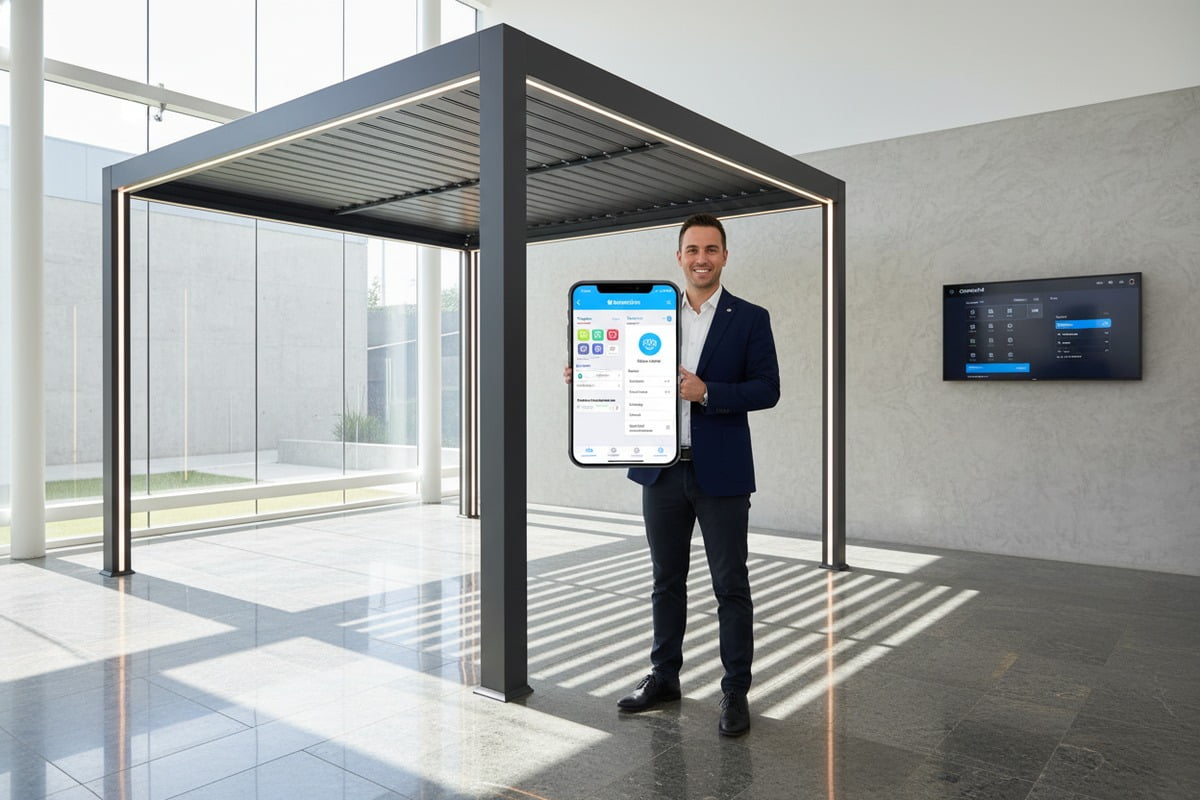
Build a compatibility map before you compare suppliers
Many wholesale buyers start with the app screen. I think that is the wrong starting point. The better starting point is the control stack behind the app Apple HomeKit 2. A smart aluminum pergola may include motors, rain sensors, wind sensors, LED drivers, heaters, side screens, and wall switches. Each part may speak a different protocol. If the supplier cannot show how these parts connect, the compatibility claim is too weak documented APIs 3.
In our export projects, I ask the supplier team to draw one simple map. It should show device level communication, gateway level communication, and cloud or local control white-label apps 4. This matters because a pergola can "work with Alexa" in three very different ways. It may have true native support. It may need a bridge. Or it may rely on a cloud skill that fails when internet service drops firmware safely 5.
| Checkpoint | What you should ask for | Red flag |
|---|---|---|
| Platform support | Exact list of supported ecosystems and supported functions | "Works with most smart homes" |
| Protocols | Wi-Fi, Bluetooth, Zigbee, Matter, LoRaWAN, or other named standards | No protocol detail |
| API access | API documents, authentication method, sample calls | Closed system with no docs |
| Local control | Wall switch, handheld remote, local scenes when internet is down | Cloud-only control |
| Firmware path | How devices pair, update, and stay backward compatible | No upgrade roadmap |
| Reference proof | A live case using the same platform as your client | Only generic screenshots |
Separate native support from bridge support
A supplier should clearly tell you what is native and what is indirect service SLAs 6. Native support usually means a cleaner setup and fewer support tickets. Bridge support can still be fine, but it adds one more failure point. For commercial buyers such as hotels, resorts, and contractors, that extra point matters because every added box means more installation time and more service risk.
Ask what functions are exposed to the platform. Some systems only offer open and close commands. Others expose louver angle, lighting scenes, temperature rules, wind alarms, and energy monitoring. That difference shapes the end-user experience. A smart pergola that only supports voice open and close is not equal to a system that supports full automation scenes.
Test the real workflow, not only the demo
I would not approve a supplier from a slide deck alone. Ask for a demo unit or a remote live test. Then run three simple checks. First, trigger rain detection and watch how fast the louvers react. Second, disconnect the internet and confirm what still works locally. Third, connect the pergola to the same platform your client already uses and verify whether automation scenes work without delay.
This testing step is important because about 65 percent of homeowners now prefer smart systems for outdoor spaces. Expectations are higher than before. Compatibility is no longer about a logo on a brochure. It is about whether the pergola joins the wider home system without friction, delay, or hidden hardware.
What certifications should I look for to verify the safety and reliability of my supplier's IoT components?
On our factory floor, I have seen good frames paired with weak electronics, and that mismatch creates the fastest path to warranty claims, failed inspections, and unsafe outdoor use.
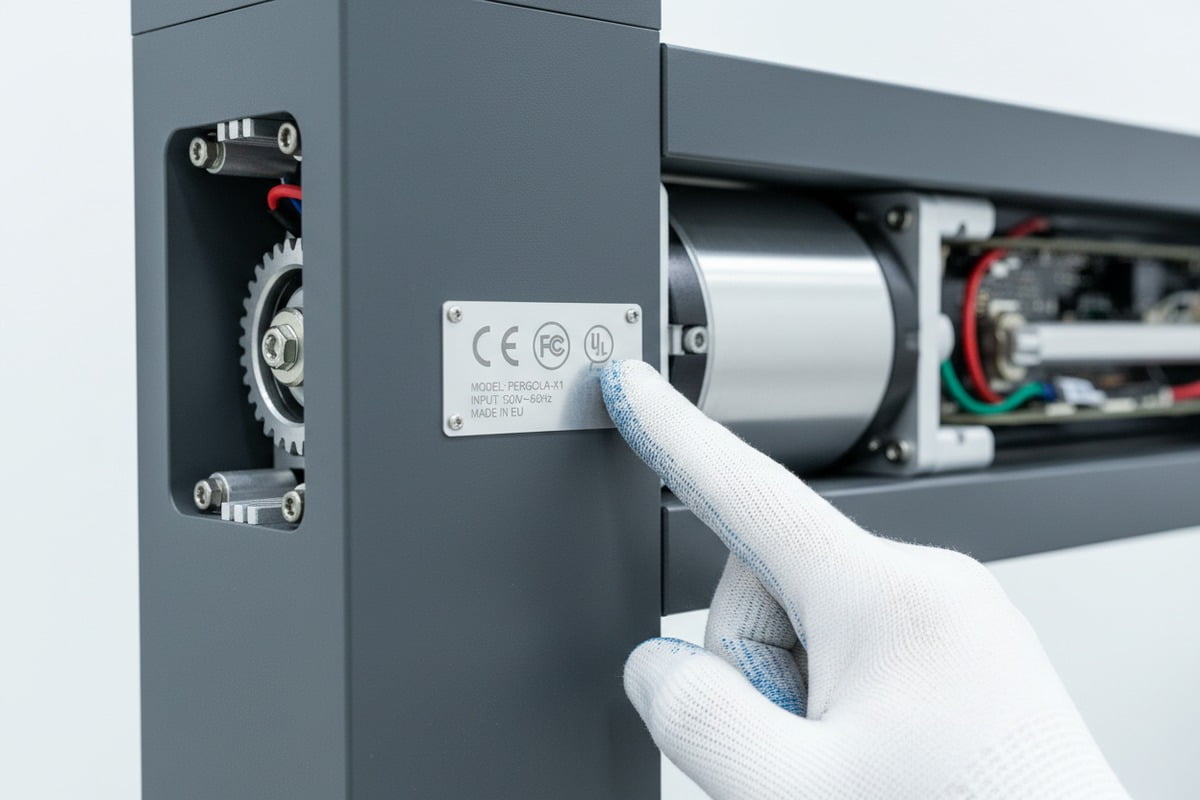
Look for ISO 9001 for process control, CE and FCC for market compliance, UL or equivalent for electrical safety, and outdoor ratings such as IP grade, UV resistance, wind load, and snow load test reports. Protocol certifications also help confirm device interoperability.
Start with process control and legal market access
A smart pergola is not only a structure. It is also a small outdoor control system. So you need to review both manufacturing discipline and electronics compliance. ISO 9001 7 is a strong first filter because it shows the supplier follows a documented quality process. It does not guarantee perfect products, but it tells you there is a system for incoming checks, production control, traceability, and corrective action.
For Europe, CE paperwork is essential. For wireless products sold into the United States, FCC compliance matters. For electrical safety, UL is strong, and ETL or another recognized equivalent may also be acceptable depending on the market. In our Europe-focused orders, buyers usually ask for these documents early, and that saves time later when customs, project consultants, or insurers ask questions.
| Certification or test | Why it matters | What to request |
|---|---|---|
| ISO 9001 | Shows controlled quality processes and traceability | Current certificate and scope |
| CE | Confirms conformity for the European market | Declaration of conformity and related test files |
| FCC | Checks radio frequency compliance for wireless parts | FCC ID or supporting report |
| UL or equivalent 8 | Confirms electrical safety standards | Listing details for relevant components |
| RoHS | Helps verify restricted substance compliance | Supplier declaration or report |
| Protocol certification | Supports interoperability claims | Zigbee, Matter, or other named proof |
Outdoor reliability needs more than electrical approval
A pergola lives outside. That means the IoT parts must survive heat, rain, humidity, UV, and dust. Ask for IP ratings on sensors, motor housings, controllers, and connection boxes. Then go further. An IP rating alone does not tell you how the part behaves after long UV exposure or temperature cycling.
For pergola performance, ask for third-party reports on wind load and snow load. A common benchmark is wind resistance up to 120 km/h and snow load at or above 120 kg/m², but the real target depends on your market. If you serve coastal areas, ask for salt spray resistance on powder-coated aluminum and exposed hardware. If you serve colder regions, ask how sensors and actuators behave at low temperatures.
| Outdoor check | Good sign | Why it matters |
|---|---|---|
| IP rating | Clear IP grade 9 per component | Basic protection against water and dust |
| UV stability | Report for canopy or polymer parts | Reduces fading and material failure |
| Wind test | Third-party structural data | Protects safety and warranty exposure |
| Snow test | Rated load report | Confirms cold-climate suitability |
| Temperature range | Documented operating limits | Helps prevent winter or summer failures |
| Salt spray test | Report for coastal projects | Supports long-term corrosion resistance |
Ask for the report, not just the logo
A logo on a catalog is not enough. I want to see the actual certificate, the issue date, the product scope, and the test lab. Some suppliers show compliance for one controller model, while the shipped unit uses another board. That is a serious risk.
Also ask whether certification covers the full shipped system or only separate parts. A motor may be compliant, but the full assembly may still fail because of wiring, enclosure quality, or a weak power supply. Reliable suppliers are open here. They should explain what is certified, what is tested in-house, and what is still under development.
Can my supplier provide white-label app integration and customized control features for my brand?
In OEM projects, I often see buyers lose margin because the hardware is flexible but the app is locked, generic, or too shallow for their market.
Yes, many suppliers can offer white-label apps and custom controls, but you should confirm ownership, hosting, language packs, user roles, feature limits, and update responsibility in writing. A branded app matters only if the supplier also provides stable APIs, test access, and clear change control.
White-label is more than a new logo
A supplier may say they provide a white-label app, but that can mean very different things. In some cases, they only change the icon, splash screen, and color theme. In stronger programs, they also customize device naming, control logic, notification texts, languages, dashboards, and installer permissions. The difference is huge.
In our OEM and ODM work, I treat the app as part of the product, not a marketing extra. Your wholesale clients may want private-label distribution, direct end-user support, or multi-site project management. A shallow white-label setup will not serve those goals. Ask whether the app is fully branded in the app stores, whether the supplier hosts it under your name, and whether they support your own domain for web dashboards.
| White-label item | What a strong supplier can customize | What you should confirm |
|---|---|---|
| App identity | Icon, name, colors, splash screen | Who owns the brand assets in stores |
| Language packs | Menus, alerts, manuals, onboarding | Which languages are included and who updates them |
| User roles | Installer, distributor, end user, admin | Whether permissions can be changed by role |
| Feature modules | Louvers, lights, screens, heaters, sensors | Whether functions can be enabled by SKU |
| Notifications | Rain alerts, fault alerts, maintenance alerts | Whether text and trigger rules can be customized |
| Dashboard | Single site or multi-site views | Access rights for dealers and project managers |
Match the control features to your buyer type
A residential dealer may want voice control, basic scheduling, and weather automation. A hotel group may need zone control, permission layers, and a dashboard for many sites. A distributor may want fast onboarding and fewer advanced settings to reduce support calls. That is why feature planning should begin with your customer profile, not with the supplier's standard demo.
Ask whether the supplier can support custom scenes, grouped control, occupancy logic, energy monitoring, or API-based links to third-party systems. If you sell to commercial buyers, also ask about integration with building management tools 10. Some suppliers can expose data through APIs or webhooks. Others cannot. That gap affects your long-term product positioning.
Protect your brand with data and exit terms
A branded app creates value only when you control the customer relationship. So ask who owns user data, who can export it, and what happens if you switch suppliers later. You also need a written process for app updates, bug fixes, and approval of new features. Without change control, your branded app can become unstable after a supplier-side update.
I also suggest asking for a staging environment. That gives your team a safe place to test new features before they go live. This is especially important when your catalog includes modern charcoal powder-coated louvered pergolas with multiple add-ons such as LED lighting, zip blinds, and heaters. More functions create more ways for software changes to affect the user experience.
How will my supplier handle remote troubleshooting and software updates for the smart pergolas I sell?
After shipment, I know the real pressure begins, because one failed sensor or buggy update can stop a project and turn your sales team into a support desk.
A strong supplier should diagnose faults remotely, push firmware safely, keep rollback options, document update windows, and separate urgent fixes from feature releases. You also need service SLAs, spare parts stock, installer training, and a clear plan for offline operation when cloud access fails.

Remote diagnostics should be built into the system
Remote support works best when the system was designed for it from the start. Ask whether the controller logs fault codes, sensor status, motor current, connectivity health, and firmware version. If the supplier cannot see these basics, remote troubleshooting becomes guesswork.
In our after-sales discussions, I focus on what the support team can check before asking for a site visit. A useful system lets them confirm whether a rain sensor is offline, whether a motor stalled, whether the gateway lost Wi-Fi, or whether a user permission blocked the command. That speed matters because professional installation is still preferred by most buyers, and field visits cost real money.
| Support area | What strong suppliers provide | Red flag |
|---|---|---|
| Diagnostics | Fault logs, device status, firmware view, remote resets | Support asks for videos every time |
| Update method | Remote firmware deployment with approval steps | No update documentation |
| Rollback | Ability to restore stable firmware | One-way updates only |
| Offline mode | Local remote, wall switch, safe weather logic | No control without cloud |
| Spare parts | Stocked sensors, controllers, remotes, power parts | Long lead times on common failures |
| Training | Installer videos, manuals, commissioning guides | Thin or outdated support materials |
| SLA | Clear response time for critical issues | No service commitments |
Software updates need rules, not only speed
A supplier that pushes updates often is not automatically a better partner. What matters is control. Ask whether updates are staged, whether they can be limited to test devices first, and whether emergency patches are separated from feature releases. A stable pergola in the field is more valuable than a fast-moving app with avoidable bugs.
You should also ask how long older hardware versions stay supported. This is a major issue in wholesale. You may still be selling spare parts or servicing projects years after the first shipment. A clear deprecation policy helps you plan inventory, warranty budgets, and upgrade offers.
Build an after-sales model that works at scale
For wholesalers and distributors, the supplier should offer more than a help email. Ask about dedicated account support, installer certification, remote commissioning, and bulk training. Since many DIY installations run into trouble, training materials are not optional. They directly reduce failures in the field.
I also look for a practical spare-parts plan. Sensors, remotes, power boards, and controllers should have known lead times and replacement steps. Better suppliers explain whether a replacement needs recalibration, re-pairing, or a firmware match. That level of detail shows they understand real service work, not only factory production.
Finally, ask what happens when the internet is down. A smart pergola should still protect itself and remain usable with local controls. Remote troubleshooting is valuable, but basic operation should not disappear the moment cloud access fails.
Conclusion
A reliable IoT pergola supplier does more than sell motors and sensors. The right partner proves compatibility, compliance, branding support, and long-term service before you place volume orders.
Notes de bas de page
1. Intertek provides information on various product certifications, including CE and FCC. ︎
2. Official Apple page detailing the HomeKit smart home platform. ︎
3. Explains what Application Programming Interfaces (APIs) are and their function. ︎
4. Investopedia defines white-label products and their business applications. ︎
5. Discusses best practices for implementing secure and reliable firmware updates. ︎
6. IBM provides a definition and explanation of Service Level Agreements (SLAs). ︎
7. Official information about the ISO 9001 quality management standard. ︎
8. Official UL Solutions page for product certification services. ︎
9. Official standard for Ingress Protection (IP) codes from the IEC. ︎
10. Honeywell provides information on Building Management Systems (BMS) and their uses. ︎